
Duplicate Variations for WooCommerce
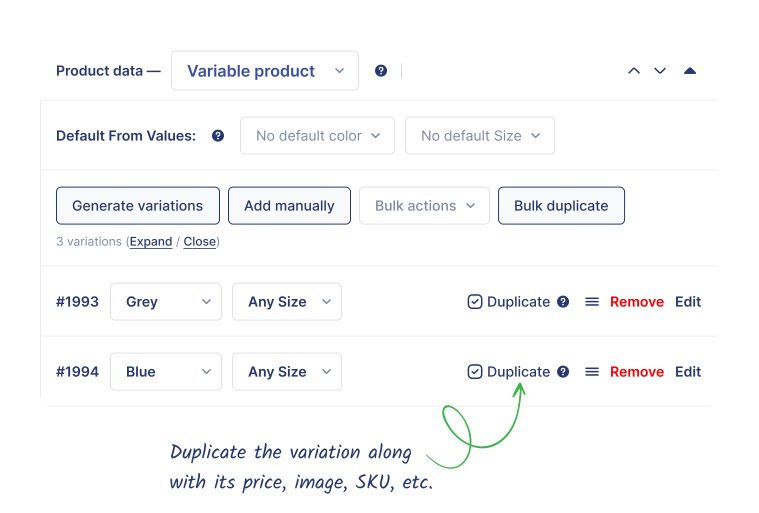
Stop repeating the same tasks! Duplicate variations, including prices, images, and SKUs, in seconds. Save hours of work and keep your store running smoothly.
Trial by
34,586+
Trusted by
2,000+
Reviews
Version: 2.0.0
Last Updated: 2 months ago
Requires WordPress Version: 6.4+
Requires WooCommerce Version: 9.4+
Requires PHP Version: 7.4+
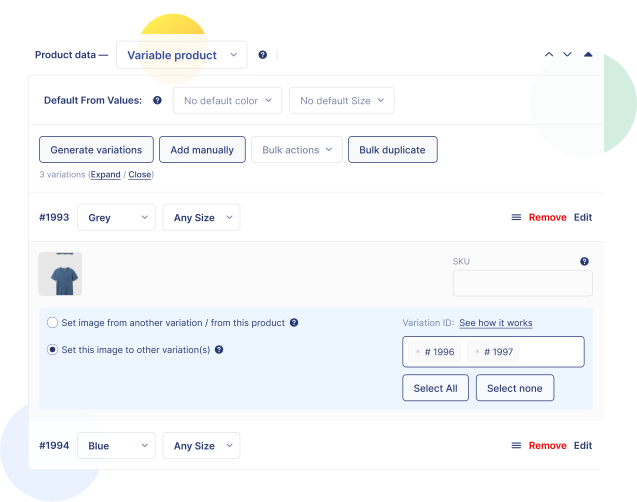
Copy Variation Image to Other Product Variations
Want to use the same image to your other variations of that particular product? No more manually uploading images for each variation. With the Duplicate Variations for WooCommerce, do it all in one simple step.
It saves a lot of time
I’ve been using this nugget and it works beautifully. Support is super fast, reliable and won’t quit until they make it work. I recommend their other plugins for variation swatches I bought, everything works seamlessly.

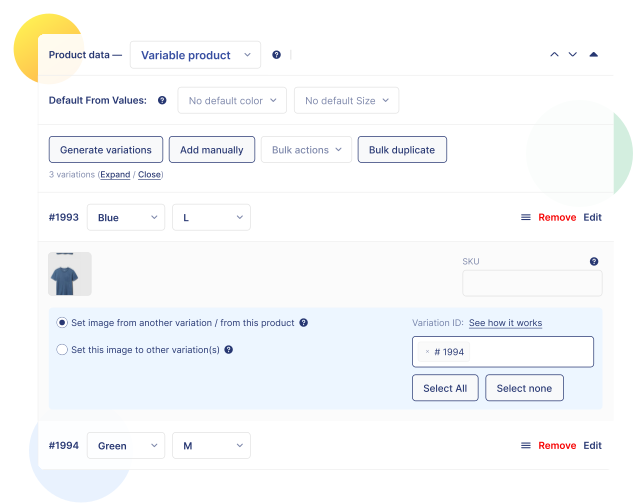
Add Variation Image From Other Product Variation
Already have products in your store and want to add a new one with the same images? No problem! With our Duplicate Variations for WooCommerce plugin, you can easily add images from other variations within the same product while keeping everything else the same.
Great plugin
This plugin is very helpful and works as needed
EDIT: The support acted very fast and responsible.

perties
●
May 4, 2022
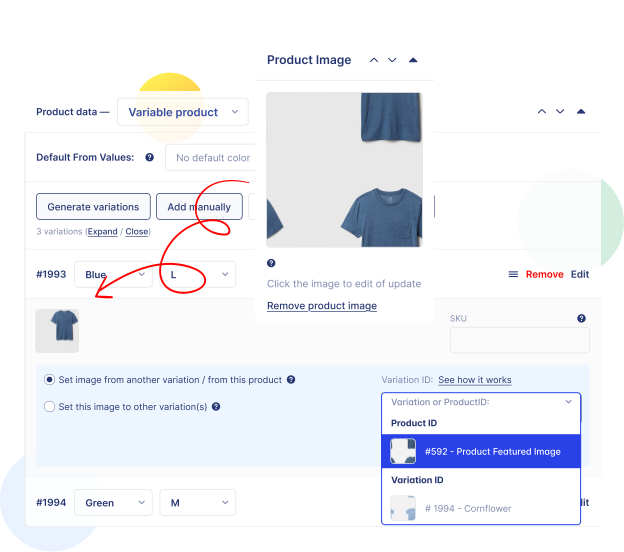
Add Variation Image From the Product Featured & Gallery Images
If you want to add the featured or gallery image into one of your product variations, you can do it very easily with the Duplicate Variations for WooCommerce plugin.
Makes life easy!
The most helpful plugin I have used. Love it. I hope it is sustained

walebel
●
June 2, 2021
Over 1000+ Reviews on WordPress
The Trust We’ve Earned From Our Customers
It saves a lot of time
I’ve been using this nugget and it works beautifully. Support is super fast, reliable and won’t quit until they make it work. I recommend their other plugins for variation swatches I bought, everything works seamlessly.
seblatour
@seblatour
Issue solved, quickly and kindly! Great support!
Mr. Tanvirul Haque gave me his support. He was very kind and solved my issue very quickly!
…6 stars!
I had great experience! thank so much!

albertok
@albertok
game Changer
I had to edit 184 variation manually and it was a pain in the ass fortunalty this plugin made it so easy thats crazy omg.
This is a real game changer

@dadishome
Working good, except when you have many variations
This plugin is great. But when you have 40/50+ variations it slows down loading variations panel (30+ seconds).
Just run a deep investigation and I was able to find the cause of the issue: it’s the image clone feature. Since I don’t need images on variations, I fixed this by adding an aux plugin (released on Github Gist, but can’t drop any link in this review because of .org limitations).
It would be cool if:
– the author would find a way to make it faster
– the author would add an option to deactivate image clone feature
Btw, thanks for your great job.

Mirco Babini
@mirkolofio
great support and beautiful plugin
A very nice plugging which makes the merchant site more professional. Easy to use thanks to the tutorials.
and top-notch technical support that knows how to answer questions and solve problems.
I am delighted my site is very pretty and functional. Thanks to Tanvirul for his help , thank you so much

virg1234
@virg1234
Great plugin
This plugin is very helpful and works as needed.
EDIT: The support acted very fast and responsible
perties
@perties
Makes life easy!
The most helpful plugin I have used. Love it. I hope it is sustained.
walebel
@walebel
Time saver
Should be default in WooCommerce.

Manoj Kumar
@manojorton
Very save time plugin
This plugin save me a lot of time, thank you!

sterminio
@sterminio
We Have Answers
Have a different question and can’t find the answer you’re looking for? Reach out to our support team by sending us an email and we’ll get back to you as soon as we can.
How do I duplicate a product variation in WooCommerce?
WooCommerce has no built-in duplicate option for variations, so each one has to be built by hand. Duplicate Variations for WooCommerce adds a one-click duplicate option to your variable products.
Does duplicating copy the price, SKU, and stock as well?
Yes. A duplicated variation carries across the original’s properties – price, image, SKU, stock, and other variation settings – so you only edit the handful of fields that actually differ. That’s the purpose of the plugin: stop re-entering identical data across dozens of variations.
Can I copy one variation’s image to other variations?
Yes. Duplicate Variations for WooCommerce lets you take the image assigned to one variation and apply it to whichever other variations you choose. Useful when several sizes of the same color share a single photo and you’d otherwise be setting that image over and over.
Is Duplicate Variations for WooCommerce free?
Yes. Duplicate Variations for WooCommerce is a free plugin with no premium tier – download it from WordPress.org or directly from StorePress and use it on as many stores as you need. It’s built to work alongside Variation Swatches for WooCommerce and Additional Variation Images Gallery for WooCommerce.
Will duplicating change my existing variations?
No. Duplicating creates a new variation and leaves the original untouched. Nothing is overwritten, and you can delete a duplicate you don’t want without affecting the variation it came from. As with any bulk product operation, take a database backup before running large batches.
Can I copy variations from one product to a different product?
Not currently. Duplicate Variations for WooCommerce works within a single variable product – you can clone variations and copy images between them, but not across separate products.